Reverse Engineer Anything (REA): The Viral GitHub AI Tool That Helps Developers Understand How Software Works
What Is Reverse Engineering Anything (REA)?
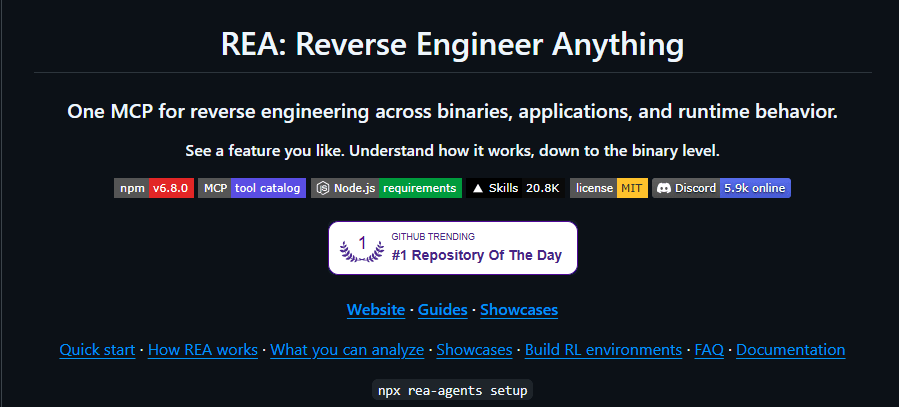
Reverse Engineering Anything (REA), officially named Reverse Engineer Anything, is an open-source, AI-agent-powered software analysis toolkit that helps developers investigate how applications, websites, and compiled programs work, even when their original source code is unavailable.
Available through GitHub at morluto/rea, the project connects AI coding agents to reverse-engineering capabilities through the Model Context Protocol (MCP).
Instead of requiring developers to perform every investigation manually, REA allows a compatible AI agent to explore software components, inspect program behavior, trace relevant functions, and explain how particular features operate.
The project also helps developers turn those findings into independently developed implementations adapted to different software architectures, programming languages, and product requirements.
REA has attracted considerable attention from the open-source community. As of October 2026, its official GitHub repository displayed approximately 408,000 stars, making it an exceptionally popular project in the AI-assisted developer tooling space.
However, its real significance extends beyond GitHub popularity.
REA represents a developing approach to software engineering in which AI agents move beyond generating code from written instructions. They can also investigate existing software and use collected evidence to understand its behavior.
For developers, security researchers, software architects, and technical teams, that capability creates opportunities in software analysis, debugging, interoperability, application modernization, and feature development.
Reverse Engineering Anything at a Glance
| Feature | Details |
|---|---|
| Project name | Reverse Engineer Anything (REA) |
| GitHub repository | github.com/morluto/rea |
| Official website | rea.tools |
| Project type | Open-source AI-assisted reverse-engineering toolkit |
| Main functionality | Software investigation, binary analysis, behavioral inspection, feature reconstruction |
| AI integration | Model Context Protocol (MCP) |
| Supported interfaces | Command-line interface and compatible AI coding agents |
| Analysis targets | Native binaries, JavaScript/Electron apps, websites, .NET assemblies, Android APKs, and additional formats |
| Native analysis providers | Hopper, Ghidra, IDA, and Kuna, depending on the target |
| License | MIT for REA-authored code |
| Primary audience | Developers, reverse engineers, software researchers, security professionals |
| Software cost | REA is open source; external analysis engines or AI services may have separate costs |
The supported features depend on the installed REA version, operating system, target software, and available analysis providers.
Why Is Reverse Engineering Anything Becoming So Popular?
Reverse engineering has traditionally been a specialized discipline.
Understanding compiled software often requires knowledge of assembly language, operating systems, memory management, executable formats, debuggers, decompilers, and runtime instrumentation.
Experienced reverse engineers frequently combine multiple tools to answer what initially appears to be a simple question.
For example, a developer examining a desktop application might need to identify the relevant executable, inspect its strings, locate candidate functions, examine cross-references, reconstruct its control flow, and validate the findings against observable behavior.
Each stage may require a different interface or specialized tool.
REA attempts to simplify this investigation process by connecting AI agents to existing reverse-engineering technology.
1. Natural-language investigations
REA enables a developer to describe an investigation in ordinary language.
A request might ask an agent to identify how a particular application implements offline search, locate the relevant functions, explain the underlying behavior, and create a similar feature in another project.
The agent can then use REA's available tools to gather evidence.
This approach does not eliminate the need for technical expertise. Instead, it reduces some of the repetitive navigation and tool coordination involved in investigations.
2. Integration with existing AI coding workflows
Modern coding agents already assist with reading repositories, editing files, writing tests, and implementing features.
REA adds software investigation to that workflow.
A coding agent can potentially move from examining an application to building and testing an independently written implementation within the same development environment.
This connection between investigation and implementation is one of the project's distinguishing characteristics.
3. Evidence-based analysis
AI-generated explanations can appear convincing even when the underlying conclusions are unsupported.
REA addresses this problem by returning structured analysis results that include relevant evidence and limitations.
Depending on the target and provider, evidence may include function names, decompiled pseudocode, assembly instructions, file identities, imports, references, or recorded observations.
These artifacts allow developers to review the basis of an agent's explanation.
4. Broadening software investigation
REA extends beyond traditional native binary inspection.
Its published capabilities cover numerous software formats and investigation methods, from Electron applications and browser observations to Android packages and selected firmware artifacts.
That breadth makes the project relevant to developers who would not ordinarily consider themselves reverse-engineering specialists.
How Does Reverse Engineering Anything Work?
REA operates as an intermediary between an AI coding agent and software analysis tools.
Its architecture combines an MCP server, command-line functionality, investigation workflows, and integrations with specialized analysis providers.
The central workflow can be understood through five stages.
Stage 1: The developer selects an investigation target
An investigation begins with a specific application, executable file, software package, website, or recorded artifact.
The target might be a native desktop application, JavaScript bundle, Electron application, Android APK, or another supported file format.
A focused investigation question helps determine which analysis capabilities are relevant.
For example, a developer might investigate how an application stores user preferences instead of attempting to understand every part of the application simultaneously.
Stage 2: The AI agent identifies the relevant analysis capabilities
A compatible coding agent communicates with REA through MCP.
Model Context Protocol (MCP) is a standardized approach for connecting AI applications to external tools and information sources.
In REA's architecture, MCP makes reverse-engineering functionality available as callable tools.
The agent can select relevant operations based on the target and the investigation objective.
A native binary investigation might require a decompiler, while a JavaScript application investigation may rely on static module analysis.
REA provides the integration layer rather than requiring the agent to independently implement every low-level analysis technique.
Stage 3: REA inspects the software
The selected operations examine available software evidence.
For a native executable, the investigation may involve locating strings, identifying procedures, examining assembly, retrieving pseudocode, and following function calls.
For an Electron application, the analysis may involve identifying JavaScript modules, examining imports, reconstructing application boundaries, and tracing inter-process communication.
Website investigations can use supported browser observation capabilities to examine page structure, scripts, and selected network activity.
The exact operations differ by provider and platform.
Stage 4: The AI agent interprets the evidence
After receiving analysis results, the agent attempts to connect the evidence to the developer's question.
For example, an investigation into a search feature might identify a function that receives a query, another function that reads stored records, and additional code that ranks or filters results.
The agent can describe these relationships and identify areas where the evidence remains incomplete.
Importantly, decompiled pseudocode does not necessarily match the original developer's source code.
Compiler optimizations, stripped symbols, inlining, and other transformations can make perfect source reconstruction impossible.
REA therefore supports evidence-based interpretation rather than guaranteed recovery of original source files.
Stage 5: The agent helps implement and verify the findings
Once a behavior has been sufficiently understood, the coding agent can use its ordinary development capabilities to create a new implementation.
That implementation might use an entirely different programming language or software architecture.
The agent can then write tests, compare expected behavior, and revise the implementation.
REA supplies investigative capabilities, while the coding agent performs the subsequent coding work.
The result is a workflow connecting software analysis, technical explanation, implementation, and testing.
Key Features of Reverse Engineering Anything
REA includes several capabilities that make it more than a simple AI-powered decompiler.
1. AI-assisted native binary analysis
Native binary analysis is one of REA's central capabilities.
Compiled executables contain machine instructions rather than the original high-level source code.
Analyzing them requires techniques such as disassembly, decompilation, symbol inspection, and control-flow analysis.
REA connects compatible agents to specialized analysis providers that perform these operations.
Depending on the configured provider, an investigation may retrieve:
Disassembled machine instructions.
Decompiled pseudocode.
Functions and procedure metadata.
Symbols and string references.
Function callers and callees.
Cross-references between code locations.
Control-flow and call relationships.
Supporting information about executable structure.
These results help an agent identify which routines are relevant to a particular behavior.
For example, a developer investigating a calculation feature could use references and function relationships to identify the code responsible for a mathematical operation.
The agent could then explain the recovered behavior and assist with an independent implementation.
2. JavaScript and Electron application analysis
Electron applications combine web technologies with desktop application capabilities.
They commonly use JavaScript or TypeScript, Chromium, Node.js, and Electron-specific APIs.
Even when the original development repository is unavailable, packaged applications may contain JavaScript bundles and other analyzable resources.
REA supports investigation of JavaScript and Electron application artifacts.
Its analysis can identify modules, imports, application routes, source-map information, IPC relationships, and native add-on boundaries when that information is available.
This capability is particularly relevant to developers investigating desktop applications built with web technologies.
For instance, an investigation might explore how a note-taking application copies formatted text to the system clipboard.
The agent could trace the relevant renderer-side code, identify communication with Electron's main process, and explain how different clipboard formats are handled.
Such analysis can support interoperability research, debugging, and the development of original software features.
3. Website and browser behavior inspection
Web applications frequently depend on multiple interacting systems.
Their behavior may involve client-side JavaScript, browser storage, API requests, DOM updates, and server responses.
REA includes browser analysis capabilities for supported Chrome-family environments.
These capabilities can help inspect page structure, scripts, network observations, and selected runtime behavior.
This functionality can be useful when developers need to understand how an interface responds to particular actions.
For example, a web developer might investigate how a test application updates search results after a filter selection.
A controlled investigation could examine the relevant JavaScript behavior and observable request patterns.
However, observing a website does not automatically reveal its private server-side implementation.
A browser exposes only the client-side information and interactions available to the investigation.
Private databases, proprietary server logic, and inaccessible infrastructure remain outside that visibility.
4. Android application analysis
REA also supports Android package investigations through integrations with appropriate Android analysis tools.
An APK contains application resources and compiled components that can reveal useful structural information.
With supported tooling, REA can help analyze application manifests, class information, decompiled methods, and references.
It also includes separate capabilities for examining Android signatures and other package metadata.
For developers, these capabilities may support authorized application auditing, interoperability research, and software maintenance.
For security teams, package analysis can help identify components requiring additional examination.
However, Android analysis depends on the specific target, installed dependencies, and supported host environment.
Not every Android application can be fully reconstructed from its APK.
5. .NET assembly inspection
Many Windows applications use the .NET ecosystem.
Managed .NET assemblies often contain metadata and Common Intermediate Language (CIL) instructions that differ from native machine code.
REA supports static inspection of .NET assemblies.
Its published capabilities include examining metadata, CIL instructions, declared native dependencies, and selected build comparisons.
Because this analysis is static, it does not require executing the target assembly.
This can be useful when examining authorized legacy applications, investigating compatibility issues, or understanding software components whose original documentation is unavailable.
6. Firmware and additional artifact inspection
REA's current scope also includes several specialized artifact types.
Examples documented by the project include firmware-related extraction workflows, WebAssembly artifacts, Rust and Go binaries, model artifact metadata, SQLite database structures, and various executable format details.
Some operations work through built-in static parsers.
Others depend on external tools that must already be installed and configured.
The important distinction is that REA provides a shared interface across different analysis capabilities, but it does not guarantee identical functionality across all targets.
A firmware image, an Android package, and a desktop executable require substantially different inspection methods.
7. Structured evidence and repeatable investigations
Reproducibility is an important part of professional software analysis.
A useful investigation should identify the exact artifact examined and preserve enough information to explain how conclusions were reached.
REA emphasizes structured evidence as part of its analysis model.
Depending on the operation, results can include identifying information, analysis output, relationships, and limitations.
This provides a stronger foundation for reviewing findings than an unsupported natural-language explanation.
For teams, evidence records can help document investigations and communicate technical conclusions.
Nevertheless, the presence of evidence does not automatically prove every interpretation correct.
Developers still need to verify conclusions against the available observations.
8. Command-line and MCP support
REA does not require every operation to be initiated through an AI chat interface.
The project also provides a command-line interface.
This supports workflows in which developers prefer terminal-based investigation, structured JSON output, or automation.
The MCP interface makes capabilities available to compatible AI agents.
Together, these interfaces allow REA to serve both interactive and scripted development workflows.
How to Install Reverse Engineering Anything
REA is distributed through the official rea-agents npm package.
The project recommends guided setup for connecting the toolkit to compatible coding agents.
The following steps describe the general installation process.
Step 1: Check the system requirements
REA requires a supported Node.js runtime and npm.
The exact minimum Node.js versions depend on the current release.
The official repository documents supported Node.js 22.x, 24.x, and newer runtime ranges with specific minimum patch versions.
The current requirements should therefore be checked before installation.
Some investigations also require additional software.
For example, native decompilation depends on a compatible analysis engine, while certain Android workflows require JADX and a Java Development Kit.
Step 2: Run the REA setup command
The official package can be launched through npm without first installing a permanent global command.
npx rea-agents@latest setup
This command starts the guided setup process using the latest published package version.
REA presents available integration choices and previews the configuration changes it proposes to make.
The installer asks for approval before applying those changes.
A package download approval and an REA configuration approval are separate actions.
Step 3: Connect a compatible AI coding agent
REA supports integration with several coding agents.
The official documentation lists support for environments such as Claude Code, Codex, Cursor, Gemini CLI, and other compatible clients.
Support varies by client and installation method.
During setup, the user selects the integrations that should be configured.
REA can then register its MCP server and install matching investigation instructions.
Agents that support local MCP servers may also be configured manually when automatic setup is unavailable.
Step 4: Configure an analysis provider when necessary
Certain investigations require additional analysis engines.
For native binary inspection, REA supports providers including Hopper, Ghidra, IDA, and Kuna.
These tools are not interchangeable in every situation.
Each provider has its own platform support, supported formats, licensing conditions, and available operations.
REA can optionally install Hopper with explicit approval.
Other providers generally rely on existing installations.
For static JavaScript or .NET analysis, a native decompiler is not necessarily required.
Step 5: Restart the configured coding agent
After setup, REA reports the configuration and capabilities that passed its checks.
Any coding agent identified as requiring a restart should be restarted before beginning an investigation.
The official setup documentation also provides troubleshooting information for client configuration and external providers.
Step 6: Start a first investigation
A beginner-friendly investigation uses a small application and a clearly defined feature.
For example, an agent could receive the following request:
Use REA to investigate this authorized sample application.

Identify how its CSV export feature works.

Show the relevant functions, modules, and supporting evidence.

Explain the export process step by step.

Then implement an equivalent CSV export feature
in TypeScript and create tests for the output.
The investigation should begin with a known test application or another target that the operator is authorized to examine.
Smaller examples generally make it easier to verify whether the analysis is accurate.
Optional: Install REA globally
Developers who regularly use the REA command-line interface can install the npm package globally.
npm install --global rea-agents
After installation, the available CLI commands can be inspected with:
rea --help
The official documentation describes update procedures and additional configuration options.
Installation note: The commands above come from the project's documentation. Successful execution depends on the installed Node.js version, operating system, dependencies, and local environment.
How to Use REA from the Command Line
REA provides operations that can run without requiring a full conversational investigation.
For example, the official README documents a command for analyzing an extracted JavaScript or Electron application directory or ASAR artifact.
npx -y rea-agents@latest analyze-javascript-application /absolute/path/to/app --json
The target path must point to a local application artifact that the operator is authorized to inspect.
The command can return structured information about modules, imports, Electron boundaries, and supporting evidence.
JSON output is particularly useful when analysis results need to be inspected programmatically.
For instance, a development team could use structured results as input to an internal reporting workflow.
However, command availability and output contracts can change between REA releases.
Automated workflows should therefore use documented commands and preferably pin a tested package version.
Real-World Examples of Reverse Engineering Anything
The official REA website includes documented investigations illustrating how the toolkit can be applied to specific software behaviors.
These examples provide a clearer picture of its capabilities than broad claims about automatically recreating entire applications.
Example 1: Understanding the Chrome Dinosaur Game
The browser-based dinosaur game provides an accessible example of behavior reconstruction.
The character's running speed increases as the game progresses.
An investigation can examine the loaded JavaScript and identify the logic responsible for this acceleration.
In the REA project's documented example, the investigated game uses an initial speed of 6, an acceleration increment of 0.001, and a maximum speed of 13.
The project demonstrates how this behavior can be understood and recreated in a small interactive implementation.
This example illustrates an important distinction.
The agent does not need to reproduce every detail of the original game.
Instead, it can recover one specific rule and implement that rule in a new application.
For developers, this approach is useful when studying algorithms, gameplay behavior, and application state transitions.
Example 2: Investigating Windows Calculator
The official project also presents an investigation into how Windows Calculator handles percentage operations.
Calculator percentage behavior depends on the selected mathematical operation.
For example:
Addition
200 + 10%

10% of 200 = 20

200 + 20 = 220
Multiplication
200 × 10%

10% = 0.1

200 × 0.1 = 20
The project's investigation connects the observed behavior to relevant native instructions and calculation logic.
It also cross-checks the recovered interpretation against Microsoft's public source information.
This demonstrates how binary inspection can support explanations of application behavior.
The resulting implementation can be tested using mathematical examples.
Example 3: Examining Notion's Clipboard Behavior
Electron applications often contain relationships between browser-like renderer processes and Node.js-powered main processes.
These relationships can make some application behavior difficult to locate.
REA's published Notion investigation examines how packaged application code handles clipboard operations.
The analysis follows relevant JavaScript components and communication boundaries associated with copying content.
It illustrates how a desktop application can preserve different forms of clipboard data, including formatted content.
This type of investigation may be useful for developers building editors, documentation applications, and productivity software.
It also shows why understanding an application's architecture is sometimes more important than locating a single function.
Example 4: Reconstructing a Classic Game Calculation
The REA project documents an investigation involving DX-Ball, a classic Windows game.
The investigation focuses on a sound-position calculation that determines how audio is distributed between left and right channels.
The project traces relevant native instructions and reconstructs the calculation in C.
According to its published case study, the reconstruction passed 3,205 original-x86 test cases and reproduced the compiled bytes of the relevant function.
This example demonstrates a more rigorous verification approach.
Rather than treating plausible pseudocode as sufficient, the investigation compares the reconstructed behavior against concrete test evidence.
Example 5: Building Environments for AI Agent Training
REA also supports workflows for creating local environments from recorded web application interactions.
This capability is related to reinforcement learning and agent evaluation.
A recorded application session can provide information about requests, responses, and supported state changes.
REA can use that information to create an environment exposing application-like operations to AI agents.
For example, a controlled test application might provide tasks involving folders, including listing, creating, renaming, and deleting them.
The resulting environment can support agent testing without requiring every interaction to use the original running application.
The project documents integration with AgentEnv for running these exported environments.
This functionality is distinct from traditional binary reverse engineering, but it reflects REA's broader focus on understanding and reproducing observable software behavior.
Reverse Engineering Anything vs. Traditional Reverse Engineering Tools
REA should not be confused with a replacement for established reverse-engineering software.
Tools such as Ghidra, IDA, and Hopper provide dedicated analysis engines.
REA connects compatible agents to analysis capabilities, including those supplied by such engines.
| Capability | Traditional Analysis Tools | Reverse Engineering Anything |
|---|---|---|
| Primary interface | Specialized graphical or command-line interfaces | AI-agent integration and CLI |
| Natural-language investigation | Depends on the tool and available integrations | Central workflow capability |
| Native binary inspection | Core functionality | Uses compatible analysis providers |
| Disassembly and decompilation | Performed by dedicated analysis engines | Exposes provider results to agents |
| JavaScript application investigation | Usually requires separate tools or workflows | Includes integrated analysis capabilities |
| Evidence review | Supported through tool-specific outputs | Structured results designed for agent workflows |
| Feature implementation | Typically performed separately | Can be coordinated with a coding agent |
| Required expertise | Depends on investigation complexity | Still requires technical validation and relevant expertise |
The most important difference concerns the role each system performs.
A traditional decompiler focuses on recovering useful representations of compiled code.
REA focuses on coordinating investigation tools and making their results accessible to AI agents.
For complex reverse engineering, expert analysis remains valuable.
Reverse Engineering Anything vs. Ghidra
Ghidra is an established software reverse-engineering framework originally developed by the U.S. National Security Agency and released publicly as open-source software.
It provides capabilities for analyzing compiled programs through disassembly, decompilation, function inspection, and other analysis methods.
REA can integrate with a compatible Ghidra installation.
Therefore, REA and Ghidra are complementary rather than direct substitutes.
Ghidra performs core binary analysis.
REA can make selected Ghidra capabilities available through an agent-oriented workflow.
A developer who prefers manual investigation may work directly inside Ghidra.
Another developer may use REA to coordinate an investigation through a compatible coding agent.
In either case, the accuracy of the conclusions depends on the quality of the analysis and the evidence available.
Who Should Use Reverse Engineering Anything?
REA serves several technical audiences.
Software developers
Developers can use REA to investigate authorized applications, understand selected features, and develop independently written implementations.
This can be useful for studying application architecture, understanding undocumented behaviors, or creating compatible software.
Security researchers
Security researchers may use REA as part of authorized software investigations.
Static analysis and controlled behavioral inspection can help identify code paths or components that deserve additional attention.
However, REA does not replace established security testing methods or guarantee vulnerability discovery.
Reverse-engineering professionals
Experienced reverse engineers may benefit from agent-assisted navigation, evidence organization, and integration with existing analysis providers.
REA can reduce repetitive investigation tasks, although expert judgment remains essential for interpreting difficult binaries.
Game developers
Game developers can investigate authorized game artifacts, study gameplay calculations, and examine selected resource structures.
Historical game preservation and compatibility research are additional potential applications.
Software maintenance teams
Organizations sometimes depend on applications whose original developers are unavailable or whose documentation is incomplete.
Authorized analysis may help teams understand system dependencies, document behavior, and plan software replacement.
AI engineering teams
AI engineers may find REA useful for studying how coding agents interact with technical analysis tools.
Its MCP architecture and agent-oriented workflows provide practical examples of connecting language models to structured engineering capabilities.
Its recorded-environment functionality also creates opportunities for controlled agent testing and evaluation.
Advantages of Reverse Engineering Anything
REA offers several notable benefits.
Reduced tool-switching
Traditional investigations can require switching repeatedly between analysis engines, terminals, documentation, and code editors.
REA provides an agent-facing interface that can coordinate parts of this process.
Faster initial exploration
An AI agent can help identify likely investigation paths and gather supporting evidence.
This may reduce the effort required to perform initial reconnaissance on unfamiliar software.
Actual time savings depend on the target and the quality of the agent's decisions.
Integration with software development
REA supports workflows in which investigation results directly inform implementation work.
This can connect software analysis with coding, testing, and documentation.
Support for multiple software formats
The project includes tools for more than one class of application.
Its broad scope can be useful when investigations cross technology boundaries.
Local analysis architecture
REA performs its supported analysis operations locally rather than relying on a dedicated REA-hosted binary analysis service.
However, the connected AI agent may transmit analysis results to its own model provider.
Data handling therefore depends on the complete deployment architecture.
Open-source availability
REA-authored code is released under the MIT license.
Developers can inspect the project, contribute improvements, and integrate it into workflows subject to the applicable licenses.
External dependencies and analysis engines retain their own terms.
Limitations and Challenges of REA
Despite its capabilities, REA is not a universal solution to software reverse engineering.
Several limitations deserve careful consideration.
1. Original source code cannot always be recovered
A decompiler produces a representation of compiled code.
It generally cannot reconstruct the exact original source files, variable names, comments, development history, or architectural intent.
Even readable pseudocode may contain inaccuracies.
REA cannot eliminate these fundamental limitations.
2. AI explanations require verification
AI agents can misunderstand control flow, overlook important context, or draw unsupported conclusions.
An agent may provide a plausible explanation that does not match actual application behavior.
Evidence review and testing remain necessary.
3. Complex software requires specialized expertise
Large applications may contain millions of instructions, complicated runtime dependencies, obfuscation, encryption, or dynamically loaded components.
Some investigations remain difficult even with advanced automation.
Understanding these systems may require experienced reverse engineers.
4. External dependencies can complicate setup
Deep native analysis requires compatible external tools.
Those tools may have additional installation requirements, platform restrictions, or licensing costs.
Consequently, REA installation alone does not activate every advertised analysis capability.
5. Operating system support varies
REA supports multiple platforms, but individual providers and operations have their own compatibility requirements.
An investigation that works on Linux may not provide the same capabilities on Windows or macOS.
The official target-specific documentation should determine whether a particular workflow is supported.
6. Analysis can consume substantial resources
Large binaries and complicated applications can require considerable processing time, memory, and storage.
AI-assisted investigations may also consume model tokens or incur API costs.
The overall expense depends on the selected tools, models, and target complexity.
7. Local analysis does not guarantee complete privacy
REA's analysis architecture runs locally, but the connected AI agent may receive sensitive evidence.
If the agent uses a cloud-hosted model, information can be processed under that provider's policies.
Private applications, credentials, and confidential software artifacts should therefore be handled under appropriate organizational controls.
Is Reverse Engineering Anything Free?
REA itself is free and open source under the MIT license for REA-authored code.
The project's repository is publicly available, and its npm package provides the primary installation method.
However, the complete workflow is not necessarily free.
Some analysis providers are commercial products.
Hopper, for example, has its own licensing conditions, although its demo edition may support selected workflows.
Other providers may be available under different open-source or commercial licenses.
AI coding agents can also require paid subscriptions or API usage.
Therefore, the total cost of using REA depends on the specific environment.
A developer using an existing compatible analysis engine and locally available AI infrastructure may have different costs from a team using commercial tools and hosted models.
REA does not include every dependency under one universal license.
Is Reverse Engineering Anything Safe and Legal?
Reverse engineering has legitimate applications, but its legal and security implications depend on how it is performed.
REA's official responsible-use documentation identifies lawful research, education, interoperability, software preservation, debugging, and authorized security analysis as appropriate purposes.
Legal considerations
Reverse engineering laws vary by jurisdiction.
Some activities may be permitted for interoperability, security research, or other protected purposes.
Other activities may violate contracts, copyright rules, anti-circumvention laws, or unauthorized-access restrictions.
The availability of a software binary does not automatically authorize every form of analysis or reuse.
Professional investigations should establish the right to inspect the target and should obtain legal guidance when necessary.
Security considerations
Unknown executables can contain malicious code.
Static analysis and dynamic execution present different risks.
Running an unfamiliar program may create network connections, modify files, or expose system resources.
Investigations involving untrusted software should use appropriate isolation, restricted permissions, and controlled test environments.
Private credentials and proprietary files should not be unnecessarily exposed to connected AI systems.
Responsible implementation
Understanding a software feature does not automatically grant permission to reproduce protected code or other intellectual property.
An independently developed implementation should respect applicable intellectual property rights, licensing obligations, and contractual restrictions.
REA is most appropriately used as a tool for learning and evidence-based investigation, not as a justification for unauthorized access or copying.
Best Practices for Using Reverse Engineering Anything
A disciplined workflow improves the usefulness of REA.
Start with a specific question
A narrow objective produces a clearer investigation.
For example, understanding one export function is generally easier than attempting to reconstruct an entire productivity application.
Focused questions also make conclusions easier to verify.
Use controlled test applications
Small applications with known behavior provide good starting points.
They allow developers to compare recovered explanations with actual source code or test results.
This builds confidence in the investigation process before more complicated targets are introduced.
Record the exact software version
Different releases may implement the same feature differently.
An investigation should identify the target version and, where practical, preserve a cryptographic digest of the analyzed artifact.
This helps ensure that later comparisons refer to the same software.
Separate observations from interpretations
A string found in a binary is an observation.
A claim that the string proves a particular security weakness is an interpretation.
REA results should be reviewed with this distinction in mind.
Strong conclusions require evidence connecting the relevant observations.
Validate reconstructed behavior
A recreated feature should be tested using representative inputs, edge cases, and expected outputs.
When an original application can be tested lawfully, its behavior may provide a reference.
A successful implementation should be supported by meaningful verification rather than visual similarity alone.
Keep the toolkit updated
REA is actively developed.
New releases may change commands, integrations, requirements, and supported operations.
Production workflows should use tested versions and follow official release notes before upgrading.
The Future of AI-Assisted Reverse Engineering
Reverse engineering is becoming an increasingly relevant application of AI-assisted software development.
Traditional coding assistants mainly help developers produce or modify source code.
Tools such as REA demonstrate a different capability: helping agents investigate software that already exists.
This distinction matters.
Many engineering problems begin without complete documentation or access to original implementation details.
Organizations maintain legacy systems, integrate with third-party applications, investigate unexpected behavior, and migrate software between technologies.
In these situations, the ability to gather evidence about existing behavior can be valuable.
REA suggests a workflow in which AI agents can coordinate tools, inspect technical artifacts, explain findings, and help create tested implementations.
Future development may improve analysis coverage, runtime observation, and agent coordination.
However, those improvements should not be mistaken for a guarantee that AI can fully understand arbitrary software.
Obfuscated programs, inaccessible server-side systems, complex native applications, and incomplete observations remain substantial challenges.
The practical value of AI-assisted reverse engineering will depend on how reliably it connects analysis to verifiable evidence.
Frequently Asked Questions About Reverse Engineering Anything
What is Reverse Engineering Anything on GitHub?
Reverse Engineering Anything, officially named Reverse Engineer Anything (REA), is an open-source toolkit that connects AI coding agents to software analysis capabilities. It supports investigations involving native binaries, JavaScript applications, websites, Android packages, and other supported artifacts.
Its official GitHub repository is located at https://github.com/morluto/rea.
What does REA stand for?
REA stands for Reverse Engineer Anything.
It is the name used by the project's official repository and documentation.
Can REA reverse engineer any software?
REA supports many software formats and analysis methods, but it cannot guarantee successful reverse engineering of every application.
Actual capabilities depend on the target, installed analysis tools, operating system, available evidence, and software protections.
The word "Anything" describes the project's broad ambition rather than unlimited technical capability.
Does Reverse Engineering Anything use AI?
Yes. REA is designed to work with compatible AI coding agents through MCP.
The agent interprets investigation requests and uses REA tools to gather information.
The analysis engines perform specialized inspection operations, while the AI agent helps coordinate and interpret the results.
Can REA recover original source code?
REA can recover useful code representations, such as decompiled pseudocode and JavaScript modules, depending on the target.
However, it cannot guarantee reconstruction of the exact original source code.
Compilation can remove or transform information that is impossible to recover perfectly.
Can REA analyze websites?
Yes. REA provides supported browser and website analysis capabilities.
These may include inspection of page structure, scripts, and selected browser or network observations.
However, inspecting a website does not automatically reveal its private backend source code.
Does REA work with Claude Code?
Yes. The official documentation includes Claude Code among supported agent integrations.
Setup requirements and available features depend on the installed versions and local configuration.
Does REA work with OpenAI Codex?
Yes. REA supports Codex integration through its agent setup and MCP capabilities.
The exact configuration should follow the official installation documentation.
Does REA work on Windows?
REA supports Windows for selected functionality.
However, native analysis providers and other operations have platform-specific requirements.
Some capabilities have broader Linux or macOS support, while others provide experimental or restricted Windows functionality.
Is REA better than Ghidra?
REA and Ghidra serve different roles.
Ghidra is a specialized reverse-engineering framework.
REA provides an AI-agent-oriented interface that can use Ghidra and other analysis providers.
The better choice depends on whether the task requires direct manual analysis, agent coordination, or both.
Can beginners use Reverse Engineering Anything?
Beginners can use REA with supported coding agents and guided installation.
However, understanding the results still benefits from knowledge of programming, software architecture, operating systems, and debugging.
Small, authorized sample applications provide an appropriate starting point.
Is Reverse Engineering Anything open source?
Yes. REA-authored code is available under the MIT license.
Its third-party dependencies and external analysis tools may have different licenses.
Does REA upload analyzed applications to the cloud?
REA performs its supported analysis locally and does not operate a dedicated hosted analysis service for uploaded target applications.
However, connected AI agents may transmit tool outputs to external model providers.
Privacy therefore depends on the configured agent and its data-handling policies.
Can REA help recreate application features?
Yes. REA can help an agent investigate how a feature works and gather supporting evidence.
The coding agent can then use that information to develop and test an implementation.
This does not mean REA automatically creates a complete, accurate clone of an arbitrary application.
Where can developers download Reverse Engineering Anything?
The official project sources are:
GitHub: https://github.com/morluto/rea
Website: https://rea.tools/
npm package: https://www.npmjs.com/package/rea-agents
Installation guide: https://github.com/morluto/rea/blob/main/docs/installation.md
Downloads and setup instructions should be obtained through these official channels.
Our view: Is Reverse Engineering Anything Worth Exploring?
Reverse Engineering Anything is a significant open-source project for developers interested in AI-assisted software analysis.
Its main contribution is not the invention of a new universal decompiler.
Instead, REA brings multiple investigation capabilities into a common workflow that AI coding agents can use.
Developers can ask questions about software behavior, collect technical evidence, examine the relevant implementation details, and build independently developed features based on verified findings.
Its support for native binaries, JavaScript and Electron applications, websites, Android packages, and other artifact types makes it relevant to a broad engineering audience.
The project is particularly interesting because it connects two traditionally separate activities: understanding existing software and writing new software.
Nevertheless, reverse engineering remains a technical discipline.
AI-generated explanations can contain errors, decompilation has inherent limitations, and some investigations require specialized expertise.
REA is most useful when it complements engineering judgment rather than replacing it.
For software developers, security researchers, and AI engineers exploring the next generation of development tools, REA offers a practical example of how AI agents can move beyond code generation and participate in evidence-based software investigation.
The project can be explored through its official GitHub repository:
Reverse Engineer Anything (REA) on GitHub
Editorial note: Examples reference published project investigations. Features, requirements, and GitHub statistics may change as the project develops.
Continue Exploring